How to use a Microsoft account association key
How to activate your Microsoft product on setup.office.com
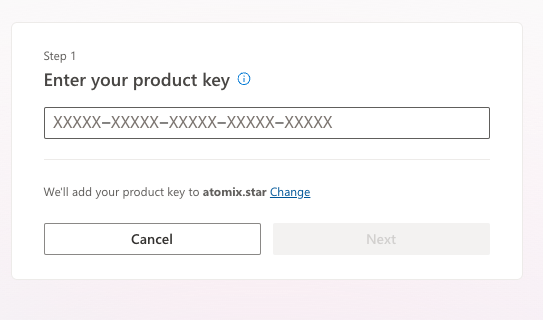
If you have purchased a product key for Microsoft Office, Visio, Project, or similar, you need to register ("claim") it in your Microsoft account to download the software.
⚠️ Important:
Once you claim the key, it will be permanently linked to that Microsoft account and cannot be transferred to another account. Make sure to claim it in the account where you want to use the software.
1. Claim Your Key
Go to setup.office.com. Log in with your existing Microsoft account or create a new one.
💡 Recommendation:
We recommend using a new Microsoft account, especially if you previously had a Microsoft 365 subscription. This helps avoid automatic renewal prompts from Microsoft. This is particularly important for Mac licenses.
2. Download & Install
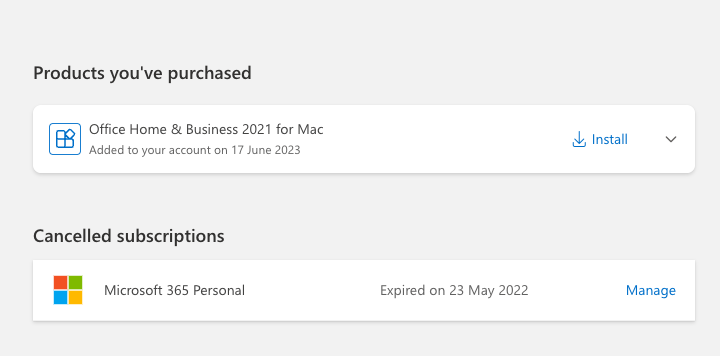
After successfully claiming the key, your product will appear in the "Services & Subscriptions" section of your Microsoft account.
From there, you can download the software. Once installed, open the program and sign in with the same Microsoft account where you claimed the key.
Need Help?
If you encounter issues during activation:
- Ensure you're entering the key exactly as provided (check for typos).
- Make sure you're using the correct Microsoft account.
- Try using a different web browser or clearing your browser cache.
- If the problem persists, contact the seller directly through your SmartLicense.ro order page.