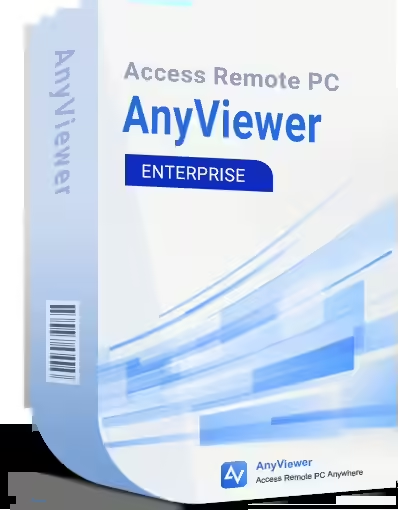
The AOMEI AnyViewer Enterprise License, 5 Years is a premium remote access and control solution developed by AOMEI Technology, designed for enterprises that require centralized management of up to 300 devices. Compatible with Windows 11, 10, 8.1, 8, 7 and Windows Server 2022, 2019, 2016, 2012 R2, this 5-year license supports 30 users and 100 login devices, making it ideal for IT support, network management, remote work, and file transfer, with access from Windows, iOS (10.0+) or Android.
Main Features:
- Advanced Remote Access: Quick connection to PCs or servers using a security code or AOMEI account, without VPN setups or port forwarding.
- Multi-Device Management: Control and monitor up to 300 managed devices, with 100 login devices and 30 users per license.
- Fast File Transfer: Transfer files up to 1 TB at speeds of up to 10 MB/s, using 5 simultaneous transfer threads, with no limit on the number of files.
- Top Security: End-to-end 256-bit ECC encryption, two-factor authentication, GDPR compliance, features like black screen, remote input lock, auto screen lock, and whitelists/blacklists for access.
- Multi-Monitor and High Quality: Supports simultaneous display of multiple monitors, with Super-Hi Vision images and up to 60 FPS for smooth sessions, including gaming.
- Administrative Tools: Includes instant chat, access to CMD, Task Manager, Power Management, reboot, and device group management.
- Exclusive Enterprise Features:
- Mass Deployment (MSI): Simultaneous installation on multiple devices.
- Screen Wall: Monitors up to 24 devices in real-time on one screen.
- Smart Frame Rate: Automatically reduces frame rate in weak networks for stable connections.
- Notice Board: Sends important updates to users.
Benefits:
- 5-Year License: Provides long-term access to premium features, with free updates during the license period, ideal for business environments.
- Scalability: Efficiently manages large networks, supporting up to 300 devices, perfect for companies with extensive infrastructure.
- Optimized Performance: Fast connections with low CPU consumption, thanks to advanced screen capture and encoding technologies.
- Enterprise Flexibility: Suitable for IT support, collaboration in large teams, or client management, with personal and commercial use.
- Intuitive Interface: Modern design, with quick installation, accessible for users of all levels.
Limitations:
- Limited Validity: The license expires after 5 years; thereafter, Enterprise features are no longer accessible, but the free version remains usable.
- Compatibility: Controlled PCs must run Windows or Windows Server (no macOS/Linux support); access is possible from iOS/Android.
- Updates: Includes free upgrades only during the license period; new versions post-expiration may incur additional costs.
- Issues with Special Characters: Transferring files with names containing “ä”, “ü”, “ö”, “ß” may encounter errors.
- Internet Dependency: Requires a stable connection for optimal performance.
System Requirements:
- Operating System: Windows 11, 10, 8.1, 8, 7 (32-bit or 64-bit); Windows Server 2022, 2019, 2016, 2012 R2.
- Processor: Minimum 1 GHz.
- RAM: Minimum 512 MB (recommended 1 GB).
- Storage Space: Minimum 100 MB available.
- Internet: Minimum 1 Mbps connection for remote connection and file transfer.
- Mobile Devices: iOS 10.0+ (iPhone, iPad); Android 6.0+.
License Details:
- Validity: 5-year license, supporting 30 users, 100 login devices, and 300 managed devices.
- Delivery: Digital license, delivered via email with activation key, download link, and instructions.
- Activation: Required online through AOMEI account within 30 days of purchase; the code is entered in the application (“Enter License Code”).
- Restrictions: The license is tied to the AOMEI account and non-transferable; changes require contacting support.
- Updates: Includes free updates for new versions released within the 5 years.
Good to Know!
AOMEI AnyViewer Enterprise is optimized for business environments, offering superior functionalities over the Professional version, such as Mass Deployment, Screen Wall, and centralized management of 300 devices. For activation, download the software from the official website, create an AOMEI account, log in, and enter the license code in “Enter License Code.” Controlled PCs must be online for stable connections. If file transfers with special characters (“ä”, “ü”, “ö”, “ß”) encounter issues, try renaming the files. The license supports personal and commercial use, making it ideal for extensive networks.
The AOMEI AnyViewer Enterprise License, 5 Years is perfect for enterprises looking for a robust, secure, and scalable solution for remote access, IT support, and centralized management of up to 300 devices, with advanced functionalities and long-term support.